
Buy an Enclosure Sign in the gift shop, put it down and an animal family comes to live with you: a male, a female and two little ones. Petting, feeding, toys and presents; and some animals even build for you.
Koop in de giftshop een verblijfsbord, zet hem neer en er komt een dierenfamilie bij je wonen: een mannetje, een vrouwtje en twee kleintjes. Aaien, voeren, speeltjes en cadeautjes; en sommige dieren bouwen zelfs voor je.
Bigger terrariaGrotere terraria
Since 1.7.0 a terrarium may have any shape: build terrarium glass or terrarium floor onto the glass tank, and everything joined to it like that (a big glass tank, tunnels one block wide, up and down) is one living space. The critters walk around in all of it, but never out of it. Two terraria joined by glass don't share: one of them gets the whole space.
Sinds 1.7.0 mag een terrarium elke vorm hebben: bouw terrariumglas of terrariumbodem tegen het glazen bakje aan, en alles wat zo aan elkaar vastzit (een grote glazen bak, gangetjes van één blok breed, omhoog en omlaag) is één leefruimte. De diertjes lopen overal doorheen, maar nooit eruit. Twee terraria die met glas verbonden zijn delen niet: de ene krijgt de hele ruimte.
BuyingKopen
You buy an Enclosure Sign in the gift shop once the species is in your dex: 100, 175 or 300 Safari Coins, depending on the animal. You can buy a sign of each species once every seven days. Little critters from the Creepy-Crawly House get a terrarium sign: a little glass tank appears for them to live in.
Een verblijfsbord koop je in de giftshop zodra de soort in je dex staat: 100, 175 of 300 Safarimunten, afhankelijk van het dier. Van elke soort kun je eens per zeven dagen een bord kopen. Kleine diertjes uit het Kriebelhuis krijgen een terrariumbord: dan verschijnt er een glazen bakje waar ze in wonen.
The familyDe familie
Four animals come to live on every sign. When you put the sign down, you first put the family together: a parent or a little one for each animal, and for a parent also a male or a female (two males or two females is fine too). There has to be at least one parent. Chose nothing? Then it is a male, a female and two little ones. You can always change it later with Put the family together on the Family tab: who changes is swapped with a puff and keeps its name. They stay inside their area (8 to 32 blocks, round or rectangular), even without a fence. Break the sign and they go back to the park with a puff and you get the sign back: that way you can move them.
Op elk bord komen vier dieren wonen. Zet je het bord neer, dan stel je eerst de familie samen: kies per dier een ouder of een kind, en bij een ouder ook een mannetje of een vrouwtje (twee mannetjes of twee vrouwtjes mag ook). Er moet minstens één ouder bij zijn. Niets gekozen? Dan zijn het een mannetje, een vrouwtje en twee kleintjes. Later wijzigen kan altijd met Familie samenstellen op de tab Familie: wie verandert, wordt met een puf omgewisseld en zijn naam blijft. Ze blijven binnen hun gebied (8 tot 32 blokken, rond of rechthoekig), ook zonder hek. Sla je het bord kapot, dan gaan ze met een puf terug naar het park en krijg je het bord terug: zo kun je ze verhuizen.
At home with your animalsThuis met je dieren
Pet them (right-click with an empty hand) and give them a toy: a play ball, scratching post, swing tyre or little slide. They find their own food, so feeding is not needed: a treat that suits them (safari feed counts double) does give hearts. Happy animals now and then leave a gift. Friends may pet and feed your animals too.
Aai ze (rechtsklik met een lege hand) en geef ze een speeltje: een speelbal, krabboom, schommelband of glijbaantje. Eten zoeken ze zelf, dus voeren hoeft niet: een traktatie die bij ze past (safarivoer telt dubbel) geeft wel hartjes. Blije dieren geven af en toe een cadeautje. Vrienden mogen je dieren ook aaien en voeren.
The menuHet menu
Click the sign for the menu, with the tabs Family (give names, call back, hide for a bit), Enclosure (size, shape, show the edge, the sleeping spot), Happiness (what the animal still misses, and Build a fitting enclosure), Gifts, Info (a fact, your best photo, when you may buy a sign again) and, for helper animals, Build Job. Every button explains itself when you hover over it; a grey button says why it is grey.
Klik op het bord voor het menu, met de tabs Familie (namen geven, terugroepen, even verstoppen), Verblijf (grootte, vorm, de rand laten zien, de slaapplek), Tevredenheid (wat het dier nog mist, en Bouw passend verblijf), Cadeautjes, Info (een weetje, je beste foto, wanneer je weer een bord mag kopen) en bij helperdieren Bouwopdracht. Elke knop legt zichzelf uit als je er met je muis op gaat staan; een grijze knop zegt waarom hij grijs is.
Hiding and calling backVerstoppen en terugroepen
Hide for a bit makes the animals invisible for twenty seconds, handy when you want to build in their enclosure. Then they come back by themselves with a puff. Call back brings them straight to the sign, also when they are hiding.
Even verstoppen laat de dieren twintig seconden onzichtbaar worden, handig als je in hun verblijf wilt bouwen. Daarna komen ze vanzelf terug met een puf. Terugroepen haalt ze meteen naar het bord, ook als ze zich verstopt hebben.
Edge and sleeping spotRand en slaapplek
Show edge shows the enclosure's edge with pink dust on the ground, for two minutes or until you click Hide edge. When you change the size, you see the new edge straight away. For the sleeping spot, click Point at sleeping spot: the menu closes, and your next right-click on a block inside the enclosure becomes the spot where the family sleeps at night.
Rand tonen laat de rand van het verblijf zien met roze stofjes op de grond, twee minuten lang of tot je op Rand verstoppen klikt. Schuif je de grootte, dan zie je de nieuwe rand meteen. Voor de slaapplek klik je Slaapplek aanwijzen: het menu gaat dicht, en de volgende rechtsklik op een blok binnen het verblijf wordt de plek waar de familie 's nachts slaapt.
HappinessTevredenheid
The bar shows how happy the family is. What the animal needs (water, sand or grass, for example) counts most, then enough room, petted today, its toy nearby and a friend living within 24 blocks. Hover over a line: it says exactly what to do, with example blocks. Everything inside the edge counts, from six blocks below to ten above the sign.
De balk laat zien hoe blij de familie is. Wat het dier nodig heeft (bijvoorbeeld water, zand of gras) telt het zwaarst, daarna genoeg ruimte, vandaag geaaid, zijn speeltje in de buurt en een vriendje dat binnen 24 blokken woont. Ga met je muis op een regel staan: dan staat er precies wat je moet doen, met voorbeeldblokken. Alles binnen de rand telt, van zes blokken onder tot tien boven het bord.
Build a fitting enclosureBouw passend verblijf
This button first only puts down a proposal: a ghost of an enclosure with everything the animal loves, with a fence around it. Nothing is built yet. Like it? Choose Approved, let them build: the family goes on a work outing and builds it themselves, with your blocks from your inventory and the linked Bank Guh. If something is missing, they build what is there and the rest stays a ghost. Below the proposal you already see what you still miss (picture, name and count), and the List button gives you a booklet of it. Cancel removes the proposal. A sign does one job at a time.
Deze knop zet eerst alleen een voorstel neer: een spook van een verblijf met alles wat het dier blij maakt, met een hek eromheen. Er wordt nog niets gebouwd. Bevalt het, kies dan Goedgekeurd, laat bouwen: de familie gaat op werkuitje en bouwt het zelf, met jouw blokken uit je inventaris en de gekoppelde Bank Guh. Mist er iets, dan bouwen ze wat er is en blijft de rest spook. Onder het voorstel staat al wat je nog mist (plaatje, naam en aantal), en de knop Lijstje geeft je daar een boekje van. Annuleren haalt het voorstel weg. Een bord doet één klus tegelijk.
See alsoZie ook
 The safari animalsDe safaridierenMechanicsSystemen
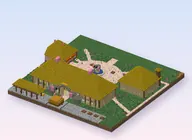 The entrance villageHet entreedorpMechanicsSystemen
 Helper animals: animals that buildHelperdieren: dieren die bouwenMechanicsSystemen