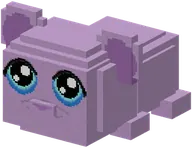
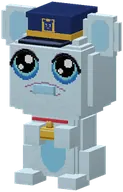
Speel samen met andere guhvrienden op de officiële Guhs-server! Hij staat dag en nacht aan, is gratis en iedereen mag erop. Het adres is makkelijk: guhs.nl. Pak een kaasknabbel, njeg, en volg de stappen.
Play together with other guh friends on the official Guhs server! It runs day and night, it's free and everyone is welcome. The address is easy: guhs.nl. Grab a kaasknabbel, njeg, and follow the steps.
Already have Prism? Jump to step 4. Otherwise:Heb je Prism al? Ga naar stap 4. Anders:
What is the official server?Wat is de officiële server?
Een gewone Minecraft-wereld met Guhs erin, plus een paar handige mods. Je bouwt, temt, speelt minigames en gaat samen de Guhmensie in. Zo staat hij ingesteld:
A normal Minecraft world with Guhs in it, plus a few handy mods. You build, tame, play minigames and go into the Guhmension together. This is how it is set up:
- Address:
guhs.nl(doesn't work yet? Use2.28.142.15instead).Adres:guhs.nl(werkt dat nog niet? Gebruik dan2.28.142.15). - Version: Minecraft 26.1.2 with NeoForge 26.1.2.112.Versie: Minecraft 26.1.2 met NeoForge 26.1.2.112.
- Normal difficulty, no PvP (players can't hurt each other) and open: no whitelist, anyone can join.Moeilijkheid normaal, geen PvP (spelers kunnen elkaar geen pijn doen) en open: geen whitelist, iedereen kan joinen.
- No claims: you can't lock your land. We trust each other (see the rules).Geen claims: je kunt je land niet op slot zetten. We vertrouwen op elkaar (zie de regels).
- Every night at 04:30 a backup and at 05:00 a short restart (Dutch time, CET/CEST). Online at that moment? Wait a bit and reconnect.Elke nacht om 04:30 een back-up en om 05:00 een korte herstart (Nederlandse tijd). Ben je dan online? Even wachten en opnieuw verbinden.
- Live map: on map.guhs.nl you can see the whole server world, the Overworld and the Guhmension. Have a look around!Live kaart: op map.guhs.nl zie je de hele wereld van de server, de Overworld én de Guhmensie. Kijk alvast rond!
- Thanks to Lootr everyone gets their own loot from the structure chests, and with FTB Quests you have the whole Guhs quest book. Vahoeg!Dankzij Lootr krijgt iedereen zijn eigen buit uit de kisten van de bouwwerken, en met FTB Quests heb je het hele Guhs-questboek. Vahoeg!
The modsDe mods
Deze mods zitten in de instance (versies van Guhs 1.1.0); de server heeft precies dezelfde:
These mods are in the instance (versions of Guhs 1.1.0); the server has exactly the same:
- Guhs
1.1.0 - GeckoLib
5.5.2 - JEI
29.34.0.90 - Jade
26.1.10 - JourneyMap
26.1.2-6.0.9 - AppleSkin
3.0.9+mc26.1 - Lootr
1.23.38.123 - Architectury
20.1.16 - FTB Library
26.1.2.9 - FTB Teams
26.1.2.4 - FTB Filter System
26.1.2.2 - FTB Quests
26.1.2.8 - FTB Essentials
26.1.2.4 - ModernFix
- FerriteCore
- spark
Alleen bij jou, niet op de server (niet verplicht):
Only on your side, not on the server (optional):
- Sodium
0.9.2 - Mouse Tweaks
26.1-2.31
Alleen op de server (daar merk je niks van, behalve de live kaart): Chunky, BlueMap.
Only on the server (you won't notice them, except for the live map): Chunky, BlueMap.
Install Prism LauncherInstalleer Prism Launcher
Om te spelen heb je precies dezelfde mods nodig als de server. Dat is een hoop gedoe met de hand, dus doen we het met Prism Launcher: een gratis launcher die de mods voor je binnenhaalt én ze bijwerkt als de server verandert.
To play you need exactly the same mods as the server. Doing that by hand is a lot of fuss, so we use Prism Launcher: a free launcher that fetches the mods for you and updates them when the server changes.
- Download Prism Launcher from prismlauncher.org (Windows, macOS and Linux) and install it.Download Prism Launcher van prismlauncher.org (Windows, macOS en Linux) en installeer hem.
- Start it. Does it ask about Java on first start? Pick the recommended option: Prism fetches the right Java itself (Java 25 for Minecraft 26.1.2). So no need to install Java yourself.Start hem. Vraagt hij bij de eerste start naar Java? Kies dan de aanbevolen instelling: Prism haalt zelf de juiste Java (Java 25 voor Minecraft 26.1.2). Zelf Java installeren hoeft dus niet.
- In the settings (Settings → Java) set the memory to 4 to 6 GB (4096 to 6144 MB). Less is too tight, more doesn't help.Zet in de instellingen (Settings → Java) het geheugen op 4 tot 6 GB (4096 tot 6144 MB). Minder is te krap, meer helpt niet.
Add your Minecraft accountVoeg je Minecraft-account toe
- Click Accounts at the top right → Manage Accounts → Add Microsoft.Klik rechtsboven op Accounts → Manage Accounts → Add Microsoft.
- Log in with the Microsoft account you bought Minecraft: Java Edition with. You need a bought Java Edition: the server checks your account.Log in met het Microsoft-account waarmee je Minecraft: Java Edition hebt gekocht. Een gekochte Java Edition is nodig: de server controleert je account.
- See your Minecraft name in the list? Then you're good. Njeg!Zie je je Minecraft-naam in de lijst staan? Dan zit je goed. Njeg!
Import the Guhs instanceImporteer de Guhs-instance
Nu de Guhs-instance. Dat is een kant-en-klaar Minecraft met alle mods van de server, die zichzelf bijwerkt.
Now the Guhs instance. That's a ready-made Minecraft with all the server's mods, which keeps itself up to date.
- Click Add Instance at the top left and pick Import on the left.Klik linksboven op Add Instance en kies links Import.
- Paste this link into the box:
https://coecomber.github.io/guhs-pack/prism/guhs-server-instance.zipPlak deze link in het vak:https://coecomber.github.io/guhs-pack/prism/guhs-server-instance.zip - Click OK. Prism creates a new instance (keep the name or change it).Klik OK. Prism maakt een nieuwe instance aan (de naam mag je houden of veranderen).
Start and joinStarten en joinen
- Double-click the instance (or pick Launch). The first time takes a while: a little window downloads the mods. Be patient, a guh doesn't get vadsig in one bite either.Dubbelklik op de instance (of kies Launch). De eerste keer duurt het even: er komt een venstertje dat de mods downloadt. Even geduld, een guh is ook niet in één hap vadsig.
- Minecraft starts. Pick Multiplayer.Minecraft start. Kies Multiplayer.
- Guhs Server is already at the top of your list: the instance brings it along, and Guhs 1.1.0 adds it too. Click it and then Join Server. Vahoeg, you're in!Guhs Server staat al bovenaan je lijst: de instance brengt hem mee, en Guhs 1.1.0 zet hem er zelf ook in. Klik erop en dan Join Server. Vahoeg, je bent binnen!
- Removed it yourself? Click Add Server, type
guhs.nlas the address and click Done.Zelf weggehaald? Klik Add Server, vul als adresguhs.nlin en klik Done.
/sethome, then /home always brings you back.Bij je eerste bezoek sta je bij de spawn. Zet meteen een thuis neer met /sethome, dan kom je altijd terug met /home.By hand (without Prism)Handmatig (zonder Prism)
Liever geen Prism? Het kan ook met de hand, maar dan moet je zelf alles bijhouden:
Rather not use Prism? You can do it by hand, but then you have to keep everything up to date yourself:
- Install NeoForge 26.1.2.112 for Minecraft 26.1.2 (installer from neoforged.net), or make a NeoForge profile with exactly that version in your own launcher.Installeer NeoForge 26.1.2.112 voor Minecraft 26.1.2 (installer van neoforged.net), of maak in je eigen launcher een NeoForge-profiel met precies die versie.
- Put every mod in the mods folder, with exactly the same versions as the server. The list (with download links) is in the README of the pack repo and in the
mods/*.pw.tomlfiles.Zet alle mods in de map mods, met precies dezelfde versies als de server. De lijst (met downloadlinks) staat in de README van de pack-repo en in de bestandenmods/*.pw.toml. - Sodium and Mouse Tweaks are optional; everything else is required.Sodium en Mouse Tweaks zijn niet verplicht; al het andere wel.
- Does the pack change? Then you have to fetch the new versions yourself, or you can't get in any more ('mod mismatch'). That's why we recommend Prism.Verandert het pack? Dan moet je zelf de nieuwe versies ophalen, anders kom je er niet meer in ('mod mismatch'). Daarom raden we Prism aan.
https://coecomber.github.io/guhs-pack/pack.tomlKun je met packwiz overweg? Dan kun je ook zelf de pack-URL gebruiken: https://coecomber.github.io/guhs-pack/pack.tomlServer rulesServerregels
Een guh is altijd lief, en dat verwachten we van jou ook. De regels zijn simpel:
A guh is always sweet, and we expect the same from you. The rules are simple:
- Be kind. No swearing, bullying or spamming in chat. Everyone is welcome, beginners too.Wees vriendelijk. Geen schelden, pesten of spammen in de chat. Iedereen is welkom, ook beginners.
- Don't wreck other people's stuff. There are no claims, so anything can break. Just don't: no griefing, no stealing from other people's chests, no taking someone else's guhs.Sloop niets van een ander. Er zijn geen claims, dus alles kan kapot. Doe het gewoon niet: niet slopen, niet stelen uit andermans kisten, geen guhs van een ander meenemen.
- Don't build right up against someone else without asking. There's plenty of room, the world is big and the Guhmension even bigger.Bouw niet tegen een ander aan zonder te vragen. Er is ruimte genoeg, de wereld is groot en de Guhmensie nog groter.
- No cheats or hacks (x-ray, fly, dupes). Mods from the pack and Sodium/Mouse Tweaks are fine.Geen cheats of hacks (x-ray, fly, dupes). Mods uit het pack en Sodium/Mouse Tweaks zijn prima.
- No lag machines (huge farms, thousands of guhs in one spot). The server is for everyone.Maak geen lag-machines (enorme farms, duizenden guhs op een kluitje). De server is voor iedereen.
Handy commandsHandige commando's
Via FTB Essentials heb je een paar handige commando's (alleen op de server, niet in je eigen wereld):
Thanks to FTB Essentials you have a few handy commands (on the server only, not in your own world):
/sethome [name]/sethome [naam]: Set a home where you stand.Zet een thuis neer waar je staat./home [name]/home [naam]: Go to (one of) your home(s).Ga naar (een van) je thuis(sen)./delhome name/delhome naam: Delete a home.Gooi een thuis weg./spawn: Back to spawn.Terug naar de spawn./tpa player/tpa speler: Ask to teleport to another player.Vraag of je naar een andere speler mag teleporteren./tpaccept · /tpdeny: Accept or refuse a teleport request.Een teleportverzoek aannemen of weigeren.
- J opens the JourneyMap map; U and R on an item show what it's used for and how to craft it (JEI).J opent de kaart van JourneyMap; U en R bij een voorwerp laten zien waar het voor is en hoe je het maakt (JEI).
- The FTB Quests quest book is in your inventory (the little book button at the top left). Want to do quests with friends? Make a team with the FTB Teams team button.Het questboek van FTB Quests zit in je inventaris (het boekje-knopje linksboven). Samen met vrienden quests doen? Maak een team met de team-knop van FTB Teams.
- The Guhs commands are for admins; as a normal player you don't need them.De Guhs-commando's zijn voor beheerders; als gewone speler heb je ze niet nodig.
Common problemsVeelgestelde problemen
Vads, het wil niet? Kijk hier eerst:
Vads, it won't work? Look here first:
'Mod mismatch' or 'incompatible mods' when joining'Mod mismatch' of 'incompatible mods' bij het joinen
Het pack is bijgewerkt en jouw instance nog niet. Sluit Minecraft helemaal af en start de instance opnieuw vanuit Prism: bij het starten haalt hij vanzelf de nieuwe mods op. Speel je zonder Prism? Werk dan de mods bij volgens de lijst in de pack-repo.
The pack was updated and your instance wasn't yet. Close Minecraft completely and start the instance again from Prism: on start it fetches the new mods by itself. Playing without Prism? Then update the mods from the list in the pack repo.
The game crashes, freezes or is very slowHet spel crasht, loopt vast of is heel traag
Meestal is het geheugen. Rechtsklik de instance → Edit → Settings → Java, vink geheugen aan en zet het maximum op 4096 tot 6144 MB (4 tot 6 GB). Heeft je computer maar 8 GB? Neem dan 4 GB. Sluit ook zware programma's.
Usually it's memory. Right-click the instance → Edit → Settings → Java, tick memory and set the maximum to 4096 to 6144 MB (4 to 6 GB). Only 8 GB in your computer? Take 4 GB. Also close heavy programs.
Java error on start ('wrong Java version')Java-fout bij het starten ('wrong Java version')
Minecraft 26.1.2 wil Java 25. Normaal haalt Prism die vanzelf. Toch een fout? In Prism: Settings → Java → Download Java en kies Java 25 (of Auto-detect als je hem al hebt). Handmatig spelen? Installeer een Java 25 (bijvoorbeeld van Adoptium).
Minecraft 26.1.2 wants Java 25. Normally Prism fetches it by itself. Still an error? In Prism: Settings → Java → Download Java and pick Java 25 (or Auto-detect if you already have it). Playing by hand? Install a Java 25 (from Adoptium, for example).
'Unknown host' or 'Can't connect to server''Unknown host' of 'Can't connect to server'
Probeer het adres 2.28.142.15 of play.guhs.nl. Werkt niets? Misschien is het net 05:00 (herstart) of is de server even in onderhoud: wacht een paar minuten.
Try the address 2.28.142.15 or play.guhs.nl. Nothing works? It might be just 05:00 (restart) or the server is briefly under maintenance: wait a few minutes.
'Outdated client' or 'Outdated server''Outdated client' of 'Outdated server'
Je speelt een andere Minecraft-versie. De server draait 26.1.2: start de Guhs-instance, niet je gewone Minecraft.
You're on a different Minecraft version. The server runs 26.1.2: start the Guhs instance, not your normal Minecraft.
'Failed to verify username' or 'Invalid session''Failed to verify username' of 'Invalid session'
Je login is verlopen. Herstart Prism, of haal je account weg en voeg hem opnieuw toe (Accounts → Manage Accounts).
Your login expired. Restart Prism, or remove your account and add it again (Accounts → Manage Accounts).
The Guhs Server isn't in my listDe Guhs Server staat niet in mijn lijst
Klik bij Multiplayer op Add Server en vul guhs.nl in. Weggehaald? Dan komt hij niet vanzelf terug, maar zo zet je hem er weer in.
In Multiplayer click Add Server and enter guhs.nl. Removed it? It won't come back by itself, but this is how you add it again.
Links
- Live map (Overworld and Guhmension): https://map.guhs.nl/Live kaart (Overworld en Guhmensie): https://map.guhs.nl/
- The server's home page: guhs.nlDe startpagina van de server: guhs.nl
- Prism import URL:
https://coecomber.github.io/guhs-pack/prism/guhs-server-instance.zipPrism-import-URL:https://coecomber.github.io/guhs-pack/prism/guhs-server-instance.zip - The pack (packwiz): https://coecomber.github.io/guhs-pack/pack.tomlHet pack (packwiz): https://coecomber.github.io/guhs-pack/pack.toml
- The pack repo, with the mod list: https://github.com/coecomber/guhs-packDe pack-repo, met de modlijst: https://github.com/coecomber/guhs-pack
- Prism Launcher: https://prismlauncher.org/
- NeoForge: https://neoforged.net/
- Guhs itself: GitHub · Modrinth · CurseForgeGuhs zelf: GitHub · Modrinth · CurseForge
Tot op guhs.nl! Neem kaasknabbels mee, zeg hoi in de chat en wees lief voor elkaars guhs. Njeg!
See you on guhs.nl! Bring kaasknabbels, say hi in chat and be sweet to each other's guhs. Njeg!
Getting startedAan de slag Back to the home pageTerug naar de startpagina